Team & access
Colleagues register themselves by naming your company. They gain no access until an administrator approves them.
Roles
Three levels, and the difference between them is which screens exist at all — not just which buttons are greyed out.
| Company admin | Editor | Viewer | |
|---|---|---|---|
| Overview | Yes | Yes | Yes |
| View assessments & print | Yes | Yes | Yes |
| Create & edit assessments | Yes | Yes | — |
| Delete assessments | Yes | Yes | — |
| Vessel inventory | Yes | — | — |
| Risk matrix configuration & review | Yes | — | — |
| User management | Yes | — | — |
| Organisation profile | Yes | — | — |
There is one company admin — the master account created during company onboarding. Everyone else is an Editor or a Viewer.
An Editor can permanently delete any assessment in the company, not only their own. If someone should be able to write assessments but never remove them, there is no role for that today — tell us if you need one.
Account status
| Status | Meaning |
|---|---|
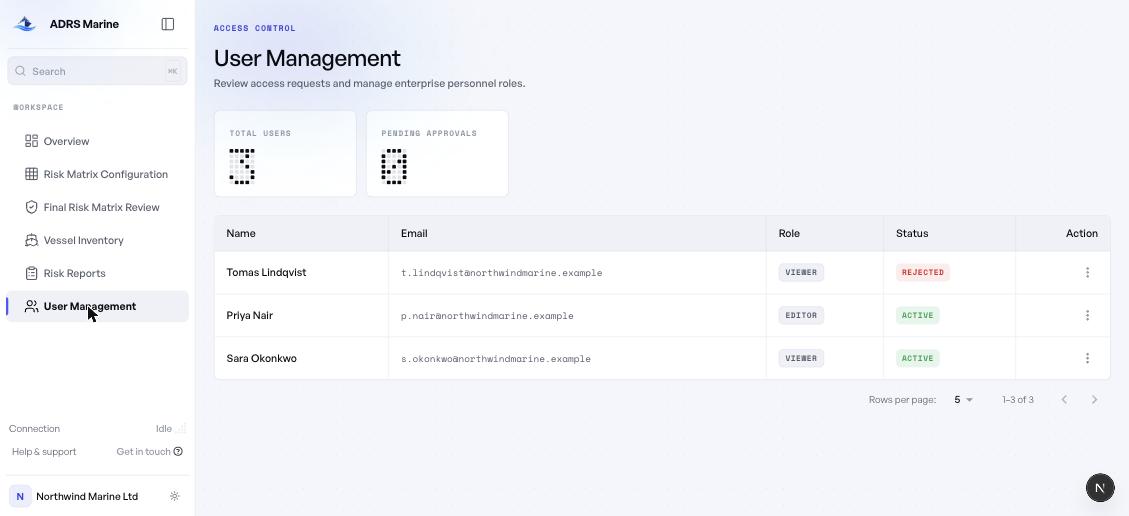
| Pending | Registered and waiting. No access at all. |
| Active | Approved and able to sign in. |
| Rejected | Refused. Cannot sign in. A reason is recorded. |
Approving someone
Open User Management. Pending requests are counted at the top. Use the row menu to approve, reject or change a role. Rejection asks for a reason, which is kept with the record.
Anyone who knows your company's registered name can submit a request. Approval is the control, so confirm you recognise the person and the email address before granting access to your assessments.