Troubleshooting
What to check when something is not behaving, and the issues we know about.
Known issues
If your likelihood scale is numbered with Very Likely as level 1 and Very Unlikely as level 5, scoring is inverted: because score is severity × likelihood, a severe and very likely event scores lower than the same event judged very unlikely.
Verify on Final Risk Matrix Review: the cell where the most severe row meets the most likely column must be your highest score. If your highest score sits in the least likely column, the scale needs renumbering — and scores recorded before the change will need review.
Company names are not unique
Two organisations can register under the same name. When that happens a colleague joining by name is refused rather than guessed at, because joining the wrong company would expose another company's assessments. Contact ADRS Marine to resolve it.
When the app crashes
If a screen fails to load you get this rather than a blank browser error.
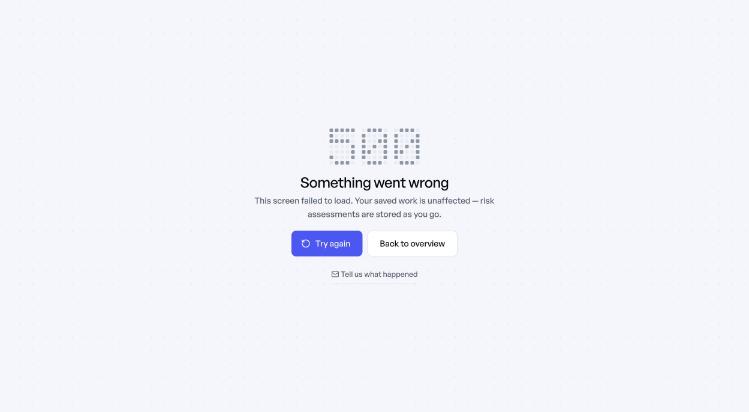
Try again is worth a click before anything else — most failures are a single request that did not return. Assessments save as you go, so a crash does not cost you work. Tell us what happened opens a message to support with the version and a reference code already filled in; sending it is far more useful to us than a description from memory.
Common questions
I can't score anything
The risk matrix has not been generated. Only a company admin can do it, under Risk Matrix Configuration.
My colleague can't register
Check the company name they typed matches the registered one, and that company onboarding itself has been completed. A company can be approved by ADRS Marine and still have no account for anyone to join.
Suggestions aren't generating
The knowledge base service is unavailable. Everything else keeps working and you can write the assessment manually. If it persists, contact support.
Printing doesn't do anything
Use Print in the preview dialog rather than the browser's own command — browsers will not reliably print an embedded document. If your browser blocks it, use Open in new tab and print from there.
A score went up after mitigation
The overview flags this. Usually it is a data entry error — the residual severity or likelihood was set higher than the initial by mistake. Open the assessment and re-check that consequence.
I've lost work
Unlikely — assessments save a moment after you stop typing, and the header shows the save state. If the connection dropped, changes are held and sync when it returns. Re-open the assessment before re-typing anything.
Getting help
| Situation | Where to go |
|---|---|
| Something in the platform is not working | support@adrsmarine.com |
| Setting up, or a walkthrough | Book a call from Help & support in the sidebar |
| Not a customer yet | info@adrsmarine.com |
Messages sent from inside the platform carry your company and version automatically, so there is no need to look them up.